
 The Backcom VN editorial team
20 min read
The Backcom VN editorial team
20 min read

In this article8
To receive an XM rebate, you need to register with the correct referral details, complete verification and check the volume of your closed trades. This guide covers the process for new and existing account holders, including the payment cycle, where the money arrives and how to investigate a missing payment. A rebate returns part of your trading costs; it does not indicate whether your trading is profitable.
Last updated: 09/10/2026.
How to get XM rebate in three steps
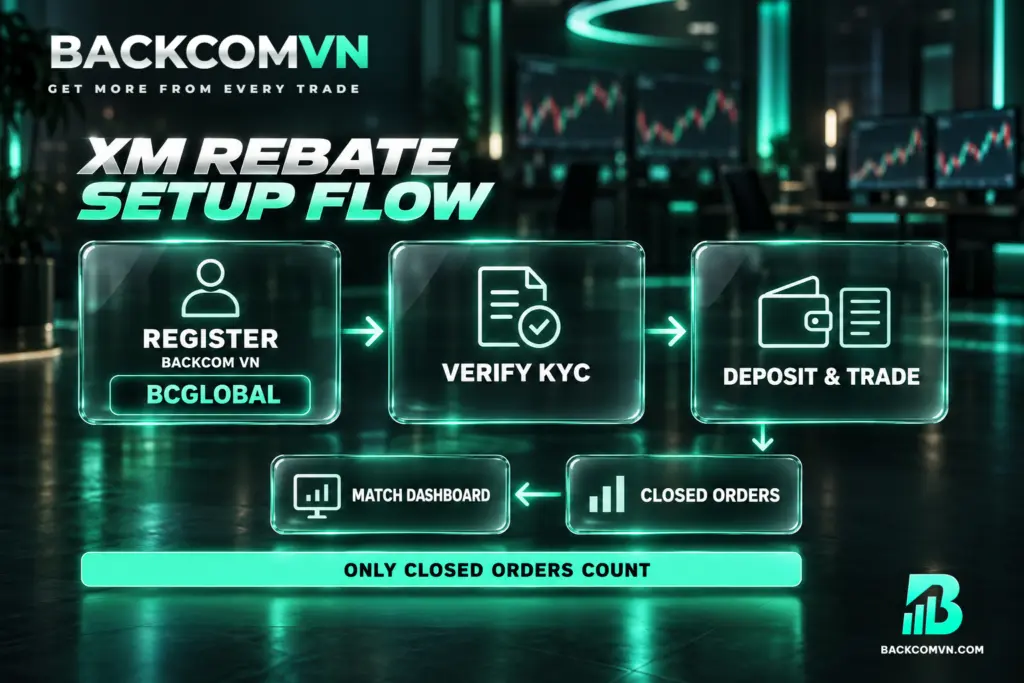
Step 1 — Register with XM through the Backcom VN referral link. When completing the registration form, enter BCGLOBAL manually where possible and check it before submitting. Registering directly with XM without using the Backcom referral link does not qualify for rebates under this programme. Check the partner details while creating the account, when you can still review the information you have entered.
Step 2 — Complete KYC in your XM account. Verify your account using one of three identification documents: a citizen identity card, driving licence or passport. After submitting your documents, check the verification status displayed by XM. Having working login details does not mean that KYC is complete. Account creation and identity verification are separate stages, and both need checking.
Step 3 — Fund your XM account and trade as usual. Trading volume counts towards the rebate only once the trade is closed. You can then compare your XM trade history with the figures in the Backcom VN dashboard. The programme has no minimum trading volume requirement, so there is no need to place extra trades to reach a rebate threshold.
XM cashback applies to both winning and losing trades because it is based on trading costs incurred. For a clearer distinction between a rebate and trading performance, read the explanation of how Forex rebates work. A trade can still leave you with a loss even when some of its costs are returned.
The referral code and how to avoid tracking problems
The XM referral code for Backcom VN is BCGLOBAL. If you register through a browser, open a private or incognito tab before following the referral link. This is recommended to reduce referral tracking problems, where the referral information is not recorded as expected during registration. It is a supporting step, rather than proof that the referral has been recorded.
Entering the code manually is preferable to relying solely on clicking the link, because it lets you inspect the information directly. Before submitting the form, compare every character with BCGLOBAL. Using a private tab can help with the process, but you should still check that the correct code appears in the registration details.
A successful login or deposit does not establish that the account is linked to the correct partner. Neither action replaces checking the referral information. If you have several XM trading accounts, identify which account was set up for the programme before comparing rebates. Otherwise, you may be checking trading activity from an account that has a different partner arrangement.
When and where your XM rebate payout arrives
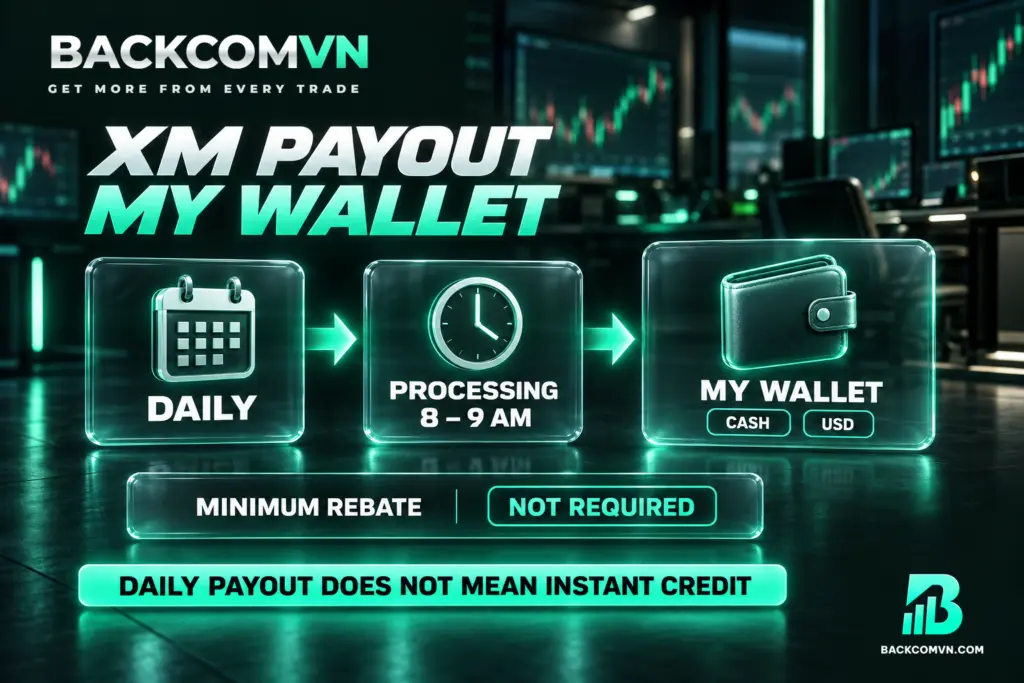
| Item | XM |
|---|---|
| Payment type | Cash |
| Payment cycle | Daily |
| Processing time | 8 – 9 am |
| Payment destination | My Wallet |
| Minimum rebate | No requirement |
| Payment currency | USD |
The place to check for your payment is My Wallet. When looking for a rebate, do not conclude that it is missing simply because your trading account balance or bank balance has not changed. Keep the rebate destination separate from the account you fund for trading and the destination you use for withdrawals.
“Daily” describes the payment cycle, while 8 – 9 am is the published processing window. Neither means that a newly closed trade will immediately generate a visible wallet entry. When checking an XM rebate payout, record the trade’s closing time and the payment cycle you are reviewing. Comparing all trading activity against a single payment can make the figures difficult to reconcile.
“No requirement” in the minimum rebate row refers to the rebate amount, not the funding conditions of your XM account. Similarly, rebate processing times do not describe how long a withdrawal from the broker to your bank takes. Use the separate XM deposit and withdrawal guide when checking that part of the money flow.
What to do if you already have an XM account
If you already have an XM account, the process is to open a new trading account in Account Overview. This does not automatically change the partner details attached to your old account. The new trading account has its own ID and password, and you need to keep track of that ID separately when checking rebates.
In that area, select the option to open a new trading account, then choose your platform and account type. Continue through the setup and enter the referral code BCGLOBAL. Create a password for the new ID, finish the remaining steps and confirm participation in the Backcom XM programme. When reconciling payments, use the trade history belonging to that new ID.
For an XM IB transfer involving an existing account, contact Backcom for guidance specific to your situation. The guide to the IB transfer process and points to check explains the distinction between requesting a partner change and opening another trading account. Do not assume your old account has transferred simply because the new account uses BCGLOBAL.
Why a rebate may not appear
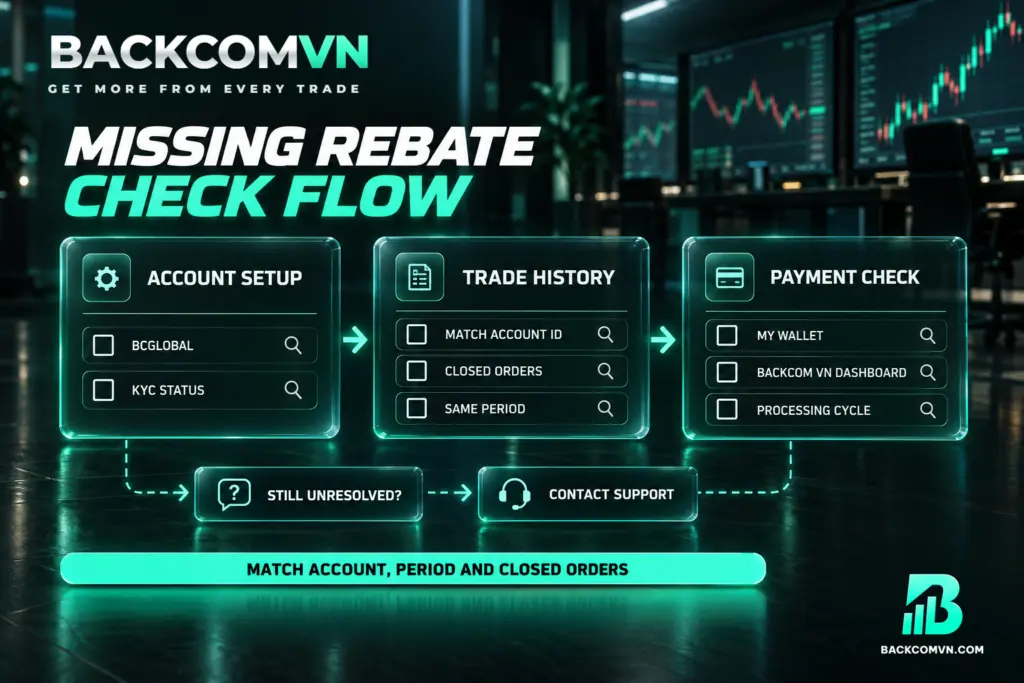
A rebate that has not appeared may be linked to registration, trade status or the way you are reviewing the figures. The table below gives possible checks, rather than a diagnosis that applies automatically to every case. Start with your account details, move to your trading history and then compare the payment records.
| What you notice | Common cause | How to check |
|---|---|---|
| You have traded but cannot see a rebate | Direct registration without the Backcom link, or referral details were not recorded | Review how you registered and whether you entered BCGLOBAL; ask support to check if unclear |
| The account exists but setup is incomplete | KYC is still outstanding | Check the verification status in your XM account |
| Current trading volume has not been counted | The trades are still open | Check closed trade history; exclude open positions from the volume total |
| XM history does not match the comparison figures | You are viewing the wrong old or new account ID | Use the ID set up for the Backcom XM programme |
| The rebate is absent from your trading balance | You are checking the wrong payment destination | Check My Wallet and the Backcom VN dashboard |
| A newly closed trade has no corresponding rebate | You are comparing the closing time with a daily payment cycle | Record the closing time and check the relevant processing cycle |
Use the same period and account for both sides of the comparison, and include only closed trades. If you add open positions or use history from a different ID, a mismatch does not establish that money is missing. Eliminating these differences first gives you a clearer basis for requesting a payment check.
If you still cannot identify the cause, prepare your account ID, trade history and dashboard figures before contacting Vietnamese-language support through Telegram or Zalo. Having those records together makes the issue easier to explain. The guide to checking a rebate that has not arrived provides a further review sequence.
Where to check XM rebate rates
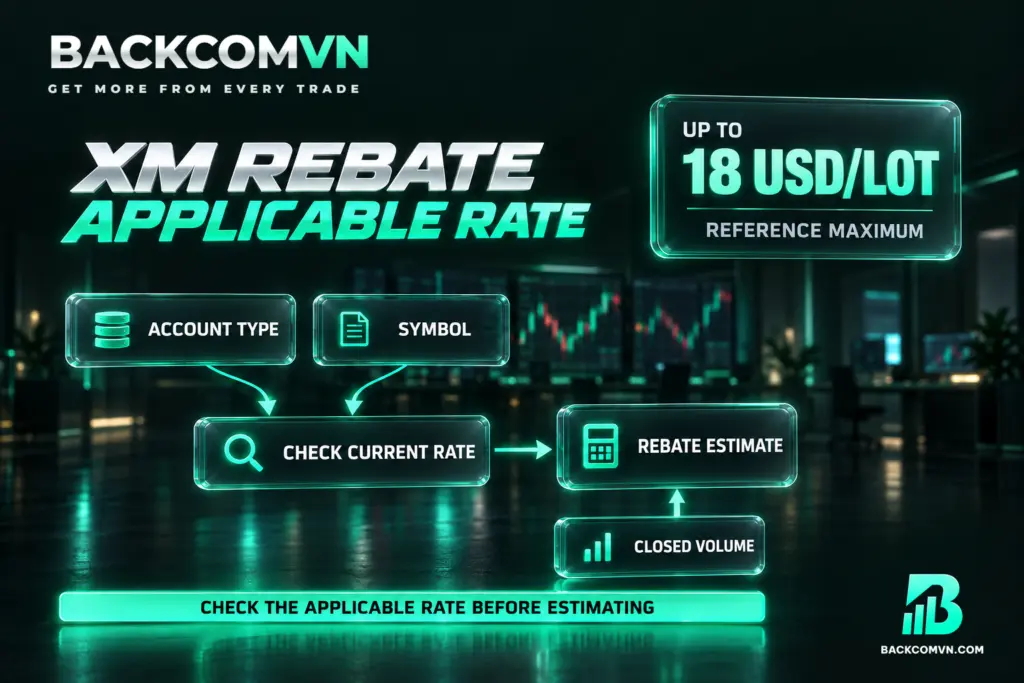
The general advertised rate is up to 18 USD/lot. The actual rate depends on the account type and product. Individual symbol rates are not listed here because the applicable figures vary by account type and over time. Check the current XM rebate rates by product before estimating what your closed trading volume might generate.
Multiplying all your volume by the maximum advertised rate does not establish the amount you will receive. First identify the account type, trading symbol and volume of closed trades. If you trade several products, compare each group separately using its applicable rate. A single headline figure cannot reliably represent every product in your trading history.
When choosing an account, assess XM cashback alongside your actual trading costs. Standard and Ultra Low accounts charge no commission, but you still need to check spreads for each symbol. Ultra Low’s advertised spread “from 0,8 pip” is not an average spread. Read the comparison of XM Standard and Ultra Low accounts alongside the rebate rates.
Other limitations also matter: prolonged account inactivity may incur fees; XM has a limited range of crypto CFDs and does not support cTrader. Advertised leverage of up to 1:1000 does not apply to every account or product, so check the conditions for yours. To assess the costs remaining after a rebate, see how to calculate the total cost of a trade.
Frequently asked questions
What is the XM referral code for rebates?
The code is BCGLOBAL. When registering through a browser, use a private or incognito tab and enter the code manually where possible. Check the referral details before completing registration to reduce the chance of an error when the referral is recorded.
Where are XM rebates paid, and how often?
Rebates are paid daily in USD to My Wallet, with processing scheduled for 8 – 9 am. When checking for a payment, distinguish the wallet receiving your rebate from your trading account balance and bank account. They serve different purposes in the payment process.
Can I register for rebates if I already have an XM account?
You can open a new trading account in Account Overview, enter BCGLOBAL and complete the programme confirmation. If you want to change the IB attached to an existing account, contact Backcom for guidance. Opening another account does not itself confirm a transfer of the existing one.
Do losing XM trades qualify for rebates?
Yes. Rebates apply to both winning and losing trades because they return part of the trading costs. A trade must be closed before its volume counts. Receiving a rebate does not remove the loss on a trade or make its overall result profitable.
How many lots must I trade to receive an XM rebate?
The programme has no minimum trading volume requirement and no minimum rebate requirement. You must still register with the correct referral details, complete KYC and close the trades before their volume can count. The absence of a minimum does not replace these setup conditions.
Conclusion
Receiving XM rebates starts with entering BCGLOBAL correctly and identifying the trading account enrolled in the programme. From there, compare your closed trade history, the Backcom VN dashboard and My Wallet against the daily payment cycle. Keeping the account and period consistent makes any discrepancy easier to investigate.
The maximum advertised rate is a reference point, not a substitute for the rate applicable to your account and products. Check current conditions alongside actual spreads, and keep your trading volume aligned with your trading plan. A rebate is a cost adjustment, not a reason to increase your trading activity.
This article is for information only. It is not investment advice and not a promise of returns. Leveraged forex and CFD trading carries a high level of risk and can result in the loss of your entire capital. Each broker’s figures and conditions change over time — check them against the broker’s own page before you act.
The Backcom VN editorial team
The Backcom VN editorial team tracks forex trading costs: the fee schedules, rebate levels and licences of eight brokers, together with the market figures that feed into the cost of each trade. Every number we publish carries a public source and the date it was accessed, so you can check it yourself.
Related articles

How to get your EC Markets rebate: three links, one choice
EC Markets offers three sign-up links at three markup levels. How to choose, how to register, and how the payout…

How to get your IC Markets rebate: weekly payout explained
IC Markets rebates are paid weekly into a Backcom VN wallet, not daily into the trading account. Setup, IB transfer…

How to get your HFM rebate: link choice, partner code and payout
HFM has a no-markup and a markup link with different rebates. Choosing between them, setting the partner code, and reconciling…

How to get your Vantage rebate: link choice, payout and checks
Vantage offers two sign-up links with different markups, and the choice is permanent. What that means, plus the Cent-account exception.

How to get your Exness rebate: setup, payout and checks
The three steps that put an Exness account under a rebate, when the money lands, and what to check first…

Why use a trading rebate — and when it is not worth it
A rebate moves your cost column, not your results column. What it changes, what it does not, and three cases…