
 The Backcom VN editorial team
20 min read
The Backcom VN editorial team
20 min read

In this article8
To receive an Ultima Markets rebate, choose the correct registration link, complete verification and contact Backcom VN to set up automatic payments. This guide explains the steps, the three markup options and how to reconcile rebates with your trading history. The first consideration is cost: a higher rebate comes with a wider spread, so compare total trading costs before opening an account.
Last updated: 09/10/2026.
How to get Ultima Markets rebate in three steps
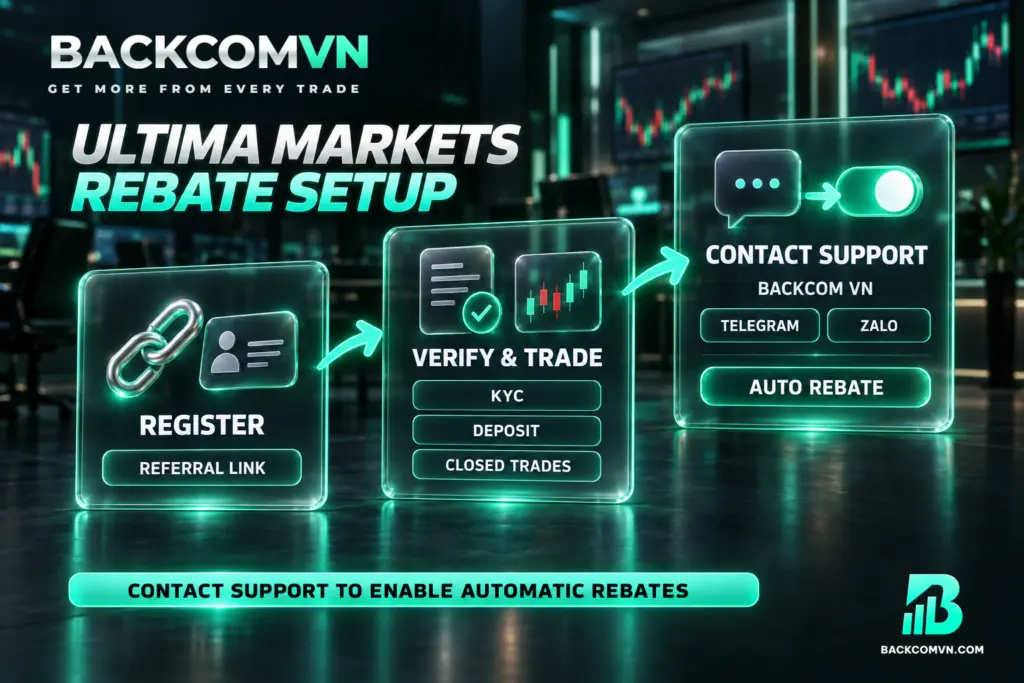
1. Choose a link and register with Ultima Markets. Use the Backcom VN referral link for your preferred option: No Markup, Markup 1 or Markup 2. When registering through a browser, use a private browsing tab to reduce the risk of losing referral tracking. Read the spread details before creating the account, because you cannot change this selection once the account is open.
2. Verify your identity, fund the account and trade. Complete identity verification using one of the three accepted documents: a citizen identity card, driving licence or passport. You can then deposit funds and trade as usual. Trading volume only counts once a trade has closed. Exclude positions that remain open when estimating the rebate already recorded for your account.
3. Contact Backcom VN support to set up automatic rebates. Use Backcom VN’s Telegram or Zalo support channels. This is a separate requirement after completing the steps with the broker. Once payments are configured, monitor the dashboard and compare its figures with your trade history. The rebate registration guide explains the general sequence if you need a broader overview.
Registration is a one-off step for ongoing rebates, with no minimum trading volume required. Ultima Markets cashback applies to both winning and losing trades because it returns part of the trading costs incurred. If you are unfamiliar with the arrangement, this explanation of what forex rebates are clarifies how a rebate differs from a trading result.
Choose your link type before opening an account
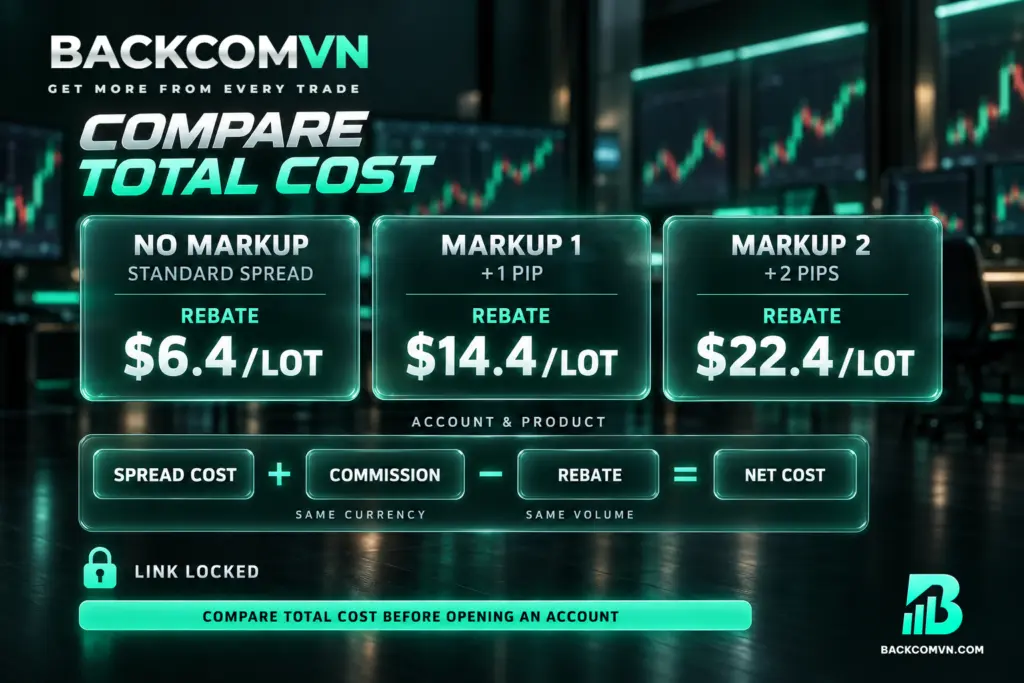
Ultima Markets has three link types, each with a different spread markup and rebate rate. No Markup retains the normal spread and offers $6.4/lot. Markup 1 adds 1 pip to the spread and offers $14.4/lot. Markup 2 adds 2 pips and offers $22.4/lot. Actual rates depend on the account type and instrument, so check the applicable conditions before making your choice.
Markup is an addition to the spread. The extra rebate therefore accompanies an extra cost that you pay when trading. No Markup offers a smaller rebate while retaining the normal spread; the other options increase both the rebate and the spread. Looking at the rebate per lot alone cannot establish which arrangement leaves you with the lowest total cost.
To compare them, express spread and commission costs in the same currency, then subtract the rebate for the same trading volume. Use the instrument and trading hours relevant to your trades. When comparing either markup option with No Markup, put the additional rebate alongside the additional spread cost. This guide to calculating the total cost of a trade explains how to organise the calculation.
Choose the link before opening your account; you cannot change it afterwards. If entering a referral code manually, match it to the intended option: yQAiI3Gi for No Markup, P8K42x9R for Markup 1 and BX0KiiF3 for Markup 2. Do not use BX0KiiF3 as a general code for all three options. It specifically corresponds to Markup 2.
When and where rebates are paid
| Item | Ultima Markets |
|---|---|
| Payment cycle | Daily |
| Payment destination | Backcom VN wallet |
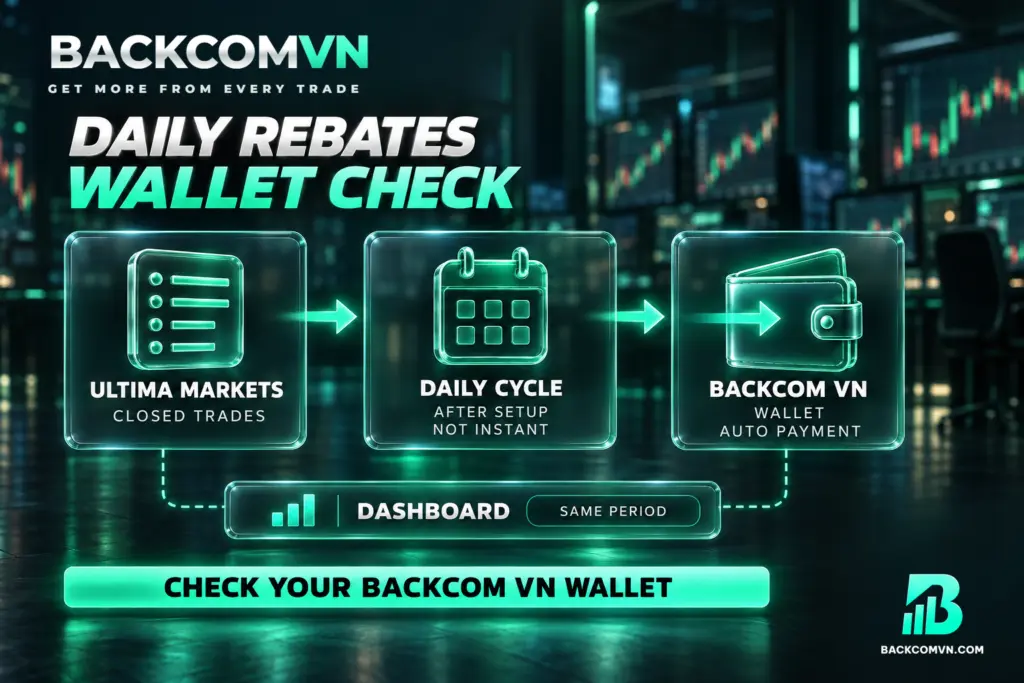
The Ultima Markets rebate payout is processed automatically each day into your Backcom VN wallet. That wallet is therefore where you should check for payments. Looking only at your Ultima Markets trading account balance is insufficient to determine whether a rebate has arrived, because the stated payment destination is separate from the trading account.
A daily cycle does not mean a payment appears immediately whenever a trade closes. When reconciling records, distinguish the trade’s closing time from the payment cycle. Do not assume a fixed payment hour without confirmation. The guide to rebate payment cycles and payment destinations provides further context for checking when and where to look.
The Backcom VN dashboard provides figures to compare with the broker’s trade history. Select the same period in both records and include only closed trades. Ultima Markets cashback returns part of the costs you have paid; the amount received does not, by itself, tell you whether your trading account is making a profit or a loss.
What to do if you already have an Ultima Markets account
If you want to retain your existing account, you can request an Ultima Markets IB transfer to Backcom VN. Submitting a request does not establish that the transfer has succeeded: accounts already linked to another referring partner usually cannot transfer. In that situation, the usual route is to open a new account through the correct Backcom VN link. Contact support to check your circumstances.
To request the transfer, send an email from the address registered to your Ultima Markets account, using the following details:
- Recipient: vietnam.cs@ultimamarkets.com
- Subject: Please transfer me under IB 22592494
- Body: Please transfer me under IB 22592494
After sending the email, share your email address with Backcom VN support through Telegram or Zalo so the team can follow up with the broker about approval. Do not treat the time you sent the request as the time the transfer was completed. The IB transfer process and checks guide explains the points to verify.
Why a rebate may not appear
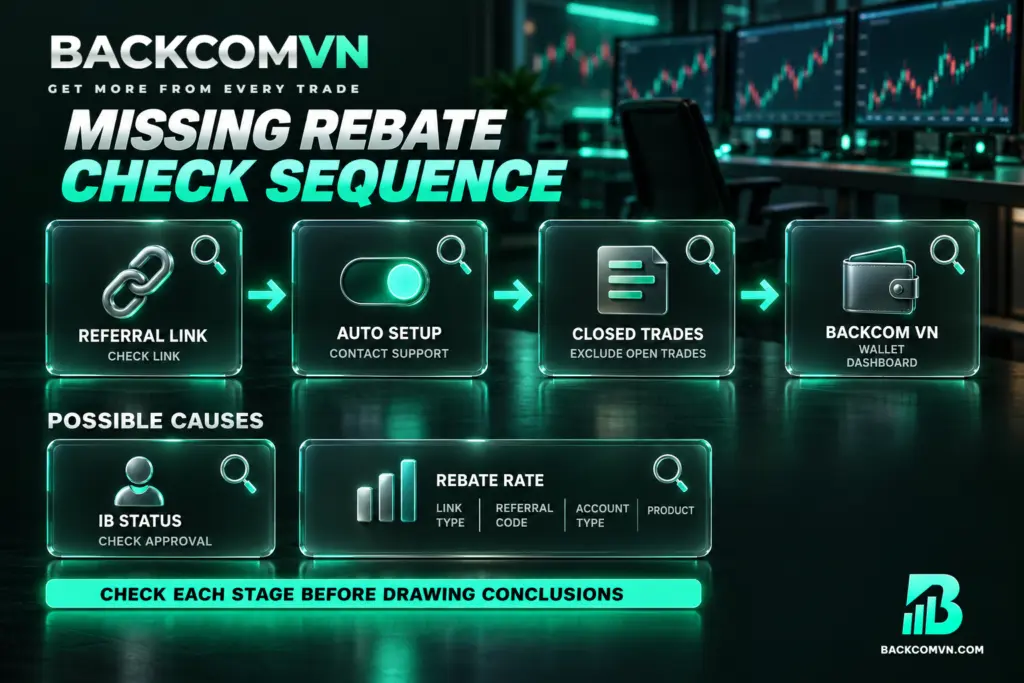
A missing rebate may relate to registration, payment setup, trade status or where you are checking for the money. The table lists possible checks, rather than a definitive explanation for every account.
| What you notice | Common possible cause | How to check |
|---|---|---|
| You registered, but the account is not recorded | Referral tracking may have been lost during browser registration | Ask support to check the referral association; use a private browsing tab when registering |
| You have traded, but no automatic rebate appears | Automatic Backcom payments have not been set up | Check the setup with support through Telegram or Zalo |
| The volume counted for rebates is lower than expected | Your estimate included open trades | Compare the volume of closed trades only |
| No payment appears in the trading account | You are checking the wrong payment destination | Check the Backcom VN wallet and dashboard figures |
| You requested an IB transfer, but it has not been recorded | The request is awaiting approval or the account is linked to another partner | Check your sent email and ask support about the transfer status |
| The rebate rate differs from your estimate | Your estimate used a different link type from the one selected | Check the link type, referral code, account type and instrument |
Work through the checks in this order: referral association, automatic payment setup, closed trades, then the receiving wallet. If you need support, have your trade history and the period you want to reconcile ready. The guide to checking a rebate that has not arrived explains how to examine each point in more detail.
Where to check Ultima Markets rebate rates
This article does not include an instrument-by-instrument rate table because the rate for each symbol varies by account type and over time. Check the current Ultima Markets rebate rates against the specific instrument you trade. A rate for a different symbol or account type is not a reliable basis for estimating your payment.
The advertised rebate is up to $22.4/lot. Your actual rate depends on the account type, instrument and link type selected. When estimating a payment, do not multiply your entire trading volume by the highest advertised rate until you have confirmed that the rate applies to your account and the relevant trades.
Frequently asked questions
Where are Ultima Markets rebates paid, and are payments daily?
After setup, rebates are paid automatically each day into the Backcom VN wallet. Check the wallet and dashboard, then reconcile those records with your closed trades at the broker. The daily payment cycle does not specify an exact hour when the money will arrive.
Is Ultima Markets Markup 2 cheaper?
The rebate rate alone cannot answer that. Markup 2 adds 2 pips to the spread. Compare the additional cost with the additional rebate for the same instrument, volume and trading hours. Then calculate the total spread cost plus commission, minus the rebate, to compare the remaining cost.
Can I change the link type after opening an Ultima Markets account?
You cannot change the link type once the account is open. Understand the differences between No Markup, Markup 1 and Markup 2 before registering. The process for requesting an IB transfer should not be treated as a way to change the markup level you originally selected.
Do losing trades at Ultima Markets qualify for rebates?
Yes. Rebates apply to both winning and losing trades because they return part of the trading costs. A trade must close before its volume counts towards the rebate. Receiving a rebate does not remove the risk of losing capital through trading.
Can an existing Ultima Markets account transfer to Backcom VN?
You can submit a request from your registered email address, then contact Backcom VN support to follow up on approval. However, accounts linked to another partner usually cannot transfer. Sending a request does not mean the transfer is approved or that the account is already eligible for rebates.
Conclusion
The first decision with Ultima Markets is which spread and rebate structure suits your trading. A larger rebate comes with a higher markup, so assess the remaining cost for the instrument you actually trade. The broker does not support direct crypto trading and is better suited to experienced traders; check its current offering before opening an account.
After registration or an IB transfer request, complete the arrangements with Backcom VN for automatic payments. Use closed trades as the basis for your checks, reconcile the dashboard figures and check your Backcom VN wallet against the daily payment cycle. Verify the rate for each symbol on the broker page before calculating expected rebates.
This article is for information only. It is not investment advice and not a promise of returns. Leveraged forex and CFD trading carries a high level of risk and can result in the loss of your entire capital. Each broker’s figures and conditions change over time — check them against the broker’s own page before you act.
The Backcom VN editorial team
The Backcom VN editorial team tracks forex trading costs: the fee schedules, rebate levels and licences of eight brokers, together with the market figures that feed into the cost of each trade. Every number we publish carries a public source and the date it was accessed, so you can check it yourself.
Related articles

XM account types: Standard or Ultra Low
Ultra Low has the lower spread, but a lower rebate and fewer benefits. Compare the spread saved against the rebate…

Vantage Cent and swap-free accounts: the real cost
A Cent account is a bridge from demo to real money, not the cheapest option; and swap-free replaces swap with…

Exness account types: which one is actually cheapest
Standard, Standard Cent, Pro, Raw Spread or Zero — the spread will not tell you which costs less. Add round-turn…

Six hidden costs in forex trading
Swap, slippage, currency conversion, inactivity fees and out-of-hours spread widening — six charges that never appear on the fee schedule…

EC Markets rebate: $38 a lot, and what comes with it
The rebate rises by exactly the markup added to the spread — $8 to $18 to $28 with each extra…

IC Markets rebate: four ways it differs from the rest
The rebate goes to an intermediary wallet rather than the trading account, account types differ sharply, and crypto is counted…