
 The Backcom VN editorial team
20 min read
The Backcom VN editorial team
20 min read

In this article8
To receive a Vantage rebate, you need to use the correct registration link, complete identity verification and trade through an eligible account. This guide explains the steps, the payment schedule and what to check if a rebate has not appeared. Before opening an account, compare the spread markup attached to each registration link: that choice cannot be changed once the account is open.
Last updated: 09/10/2026.
How to get Vantage rebate in three steps
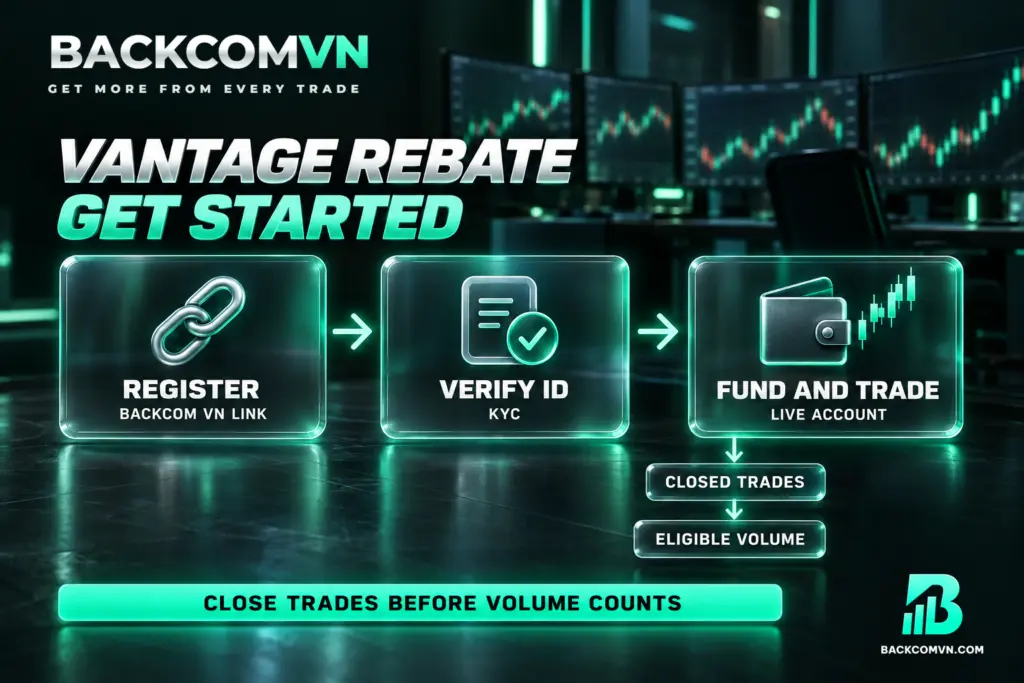
A rebate returns part of your trading costs based on eligible trading volume. It applies to both winning and losing trades because it is a cost refund, rather than a share of profits. Read more about how forex rebates work before checking the amount credited to your account.
Step 1 — Choose a link on Backcom VN, then register with Vantage. Visit the Vantage rebate page and review the registration options and their conditions before opening an account. If registering in a browser, use a private browsing tab to reduce the risk of losing referral tracking. Registering directly without a Backcom link will not record rebates through this route.
Step 2 — Complete KYC with Vantage. Verify your account using a citizen identity card, driving licence or passport. Creating login credentials and completing identity verification are separate stages. Check that your KYC status shows verification is complete before moving on to funding the account and placing trades.
Step 3 — Fund your Vantage account and trade. Choose Standard STP or RAW ECN to suit your trading approach, then check the spread and commission. The programme applies to live accounts and has no minimum trading volume requirement. However, a trade must close before its volume counts. Afterwards, compare the Backcom VN dashboard with the broker’s trading history.
Choose your registration link before opening an account
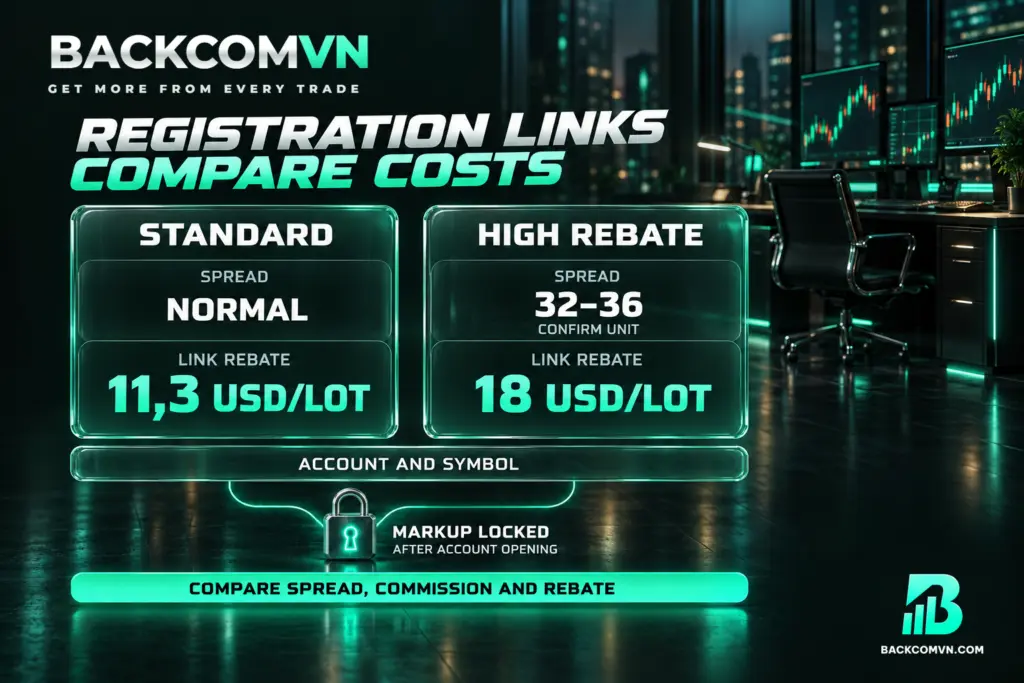
Vantage offers two registration link options, each with a different spread markup and rebate rate. Keep the Standard link separate from the Standard STP account type when comparing them. The first identifies your registration route; the second identifies the trading account you use.
- Standard: code bcglobal, spread listed as “Normal”, with a link rebate rate of 11,3 USD/lot.
- Higher Backcom: code supervip, spread listed as 32–36, with a link rebate rate of 18 USD/lot. Do not convert this spread figure into pips without confirming the applicable unit.
These link rates do not mean that every instrument earns the same amount. The actual rebate depends on the account type and instrument, so check the conditions currently in force. If entering a code manually, use the one that matches your chosen link: bcglobal for Standard or supervip for Higher Backcom.
The trade-off is a lower spread with a lower rebate, or a higher spread with a higher rebate. A larger Vantage cashback payment alone does not establish that total trading costs are lower. Compare spread, commission and rebate for the same instrument and volume. This guide to calculating the total cost of a trade explains how to assess those amounts together.
Choose your link before opening the account: the markup attached to it cannot be changed afterwards. Advertised spreads “from 0,0 pip” or “from 1,0 pip” are not average spreads either. Actual spreads can vary over time, so the advertised starting figure should not be treated as the cost of every trade.
When and where your rebate is paid
| Item | Vantage |
|---|---|
| Payment type | USD |
| Payment frequency | Daily |
| Processing window | 9 – 11h every morning |
| Payment destination | Trading account |
| Minimum rebate | No minimum required |
| Payment currency | USD |
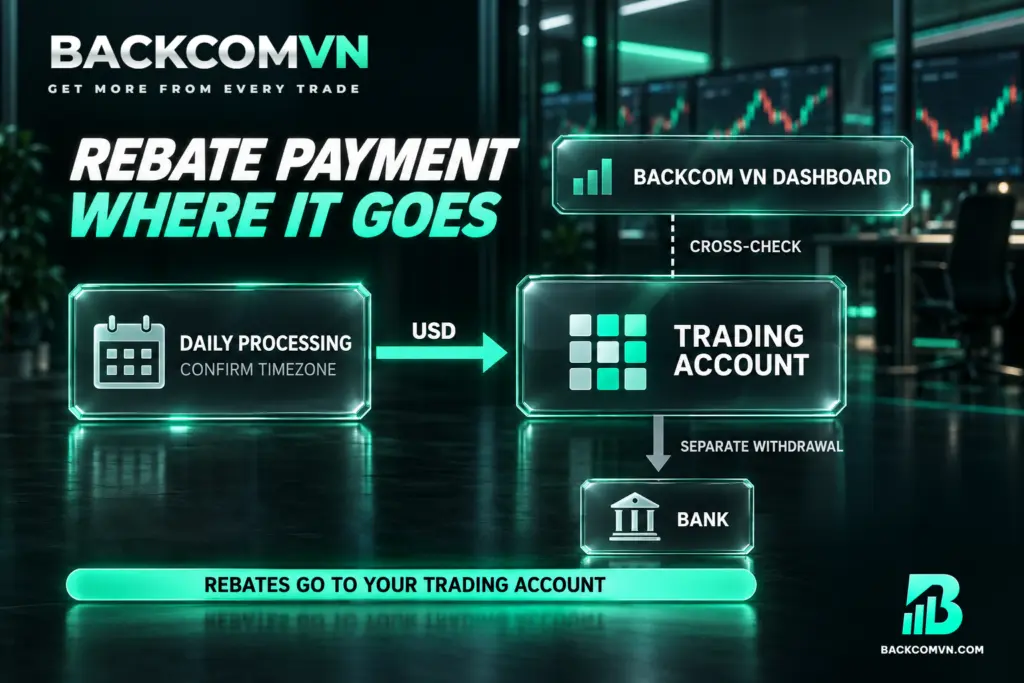
Your Vantage rebate payout goes into your trading account. The Backcom VN dashboard provides figures for comparison; an amount displayed there does not mean money has been withdrawn to your bank. When checking whether payment has arrived, look at the specific trading account designated to receive the rebate.
Daily payments and a processing window of 9 – 11h in the morning do not mean money appears immediately after each trade closes. This is the published processing window, but no time zone is specified. Confirm it with support before using it to assess a delay. Having no minimum rebate requirement also does not remove the requirement for trades to close.
Receiving Vantage cashback and withdrawing money are separate processes. To transfer funds out of the account, see the Vantage deposit and withdrawal guide. Available methods depend on your region, funding sources generally need to be in the account holder’s name, and third-party fees may apply.
What to do if you already have a Vantage account
If you already have an account, request a Vantage IB transfer using the same email address registered with the broker. Send the following message to the Vantage support email address shown below to request a change of introducing broker.
To: vietnam.support@vantagemarkets.com
Subject: Change Account Owner
Message: Hi team, Please move my account under IB 23149729
After sending it, give your email address to Backcom VN support through Telegram or Zalo so they can coordinate with the broker and track the review. Sending the email does not mean the request has been approved. Read the IB transfer process and points to check to follow each stage through to confirmation.
Vantage Cent accounts do not qualify for rebates. If you use Cent, create an additional Standard STP or RAW ECN account and send its account ID to Backcom VN support through Telegram/Zalo. Providing the correct ID identifies the account intended to receive rebates and avoids checking your existing Cent account by mistake.
Why a rebate may not appear
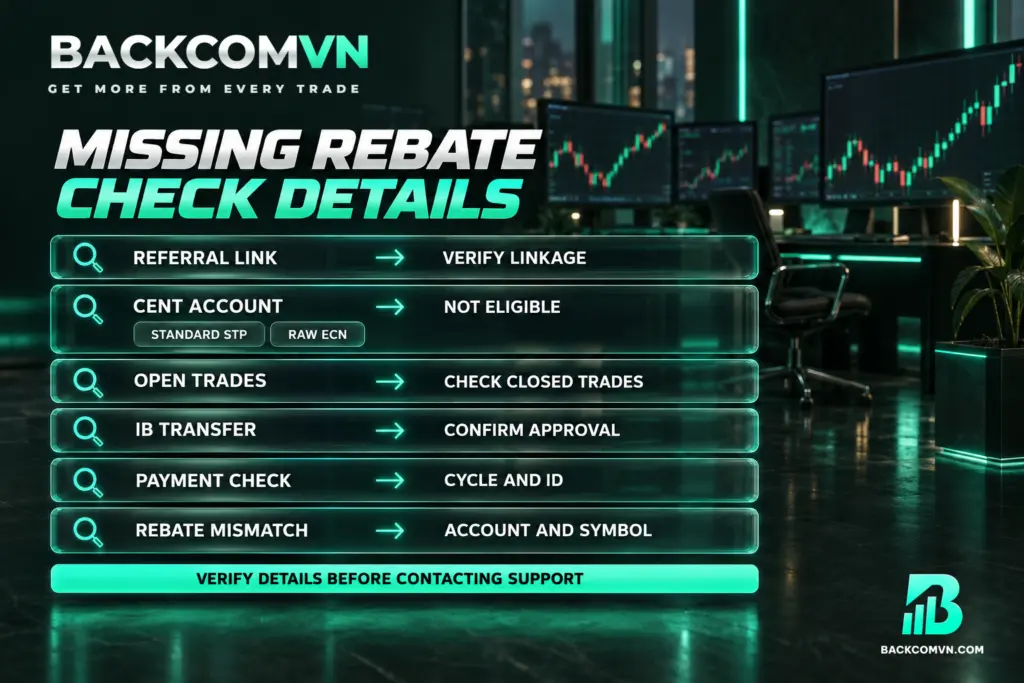
A missing payment may relate to registration, account eligibility or the time you check. The table lists possibilities to investigate, rather than explanations that apply automatically to every account. Match the symptom to your records before drawing a conclusion.
| Symptom | Common cause | How to check |
|---|---|---|
| You have traded, but nothing is recorded | Direct registration or lost referral tracking | Ask support to check the account’s connection to Backcom VN. |
| No rebate appears on a Cent account | Cent accounts are ineligible | Create an additional Standard STP or RAW ECN account and send its ID to support. |
| Trades appear, but their volume has not counted | The trades are still open | Check their closing status in your trading history. |
| You requested an IB transfer but see no rebate | Transfer approval has not been confirmed | Check your sent email and ask support about the approval status. |
| The dashboard shows figures, but no payment appears | You checked outside processing time or checked the wrong receiving account | Compare the payment cycle and trading account ID. |
| The rebate differs from your calculation | You used a rate for another link, account type or instrument | Check the current rate for your specific account and symbol. |
Before contacting support, prepare your account ID, account type, instrument and the history of closed trades for the period being checked. The guide to checking a missing rebate yourself can help you review these details before submitting a request.
Where to check Vantage rebate rates
Individual instrument rates are not listed here because rates by symbol vary over time and between account types. Check the current Vantage rebate rates by instrument, then compare them with your chosen registration link. Do not apply one instrument’s rate to your entire trading history when it includes other instruments.
To calculate a rebate yourself, first identify your closed trading volume and the rate applicable to your account. Remember that the refund is only one part of total trading costs. Standard STP has no commission, while RAW ECN charges a round-trip commission of 6 USD/lot. Swap-Free accounts may incur administration fees, so the name does not mean all overnight holding costs disappear.
Frequently asked questions
Is there a fee to register for Vantage rebates?
Joining the programme is free. You need to register or link your account through Backcom VN and meet the rebate eligibility conditions. Trading costs associated with your account type still apply and must be assessed separately from programme registration.
What time does Vantage pay rebates?
Payments run daily, with processing scheduled for 9 – 11h in the morning. Rebates are paid in USD into the trading account. Confirm the time zone with support when checking whether a payment has arrived at a particular time.
Do Vantage Cent accounts qualify for rebates?
No. Cent users need to create an additional Standard STP or RAW ECN account and send the new account ID to Backcom VN support. This identifies the eligible account that should receive the rebate.
Can losing Vantage trades earn rebates?
Yes. Rebates apply to both winning and losing trades that meet the eligibility conditions. A trade must close before its volume counts. Receiving a refund of part of the trading cost does not eliminate the loss on that trade.
Can I switch to the Higher Backcom link after opening a Vantage account?
The markup choice attached to your registration link cannot be changed after the account is opened. The IB transfer process for existing account holders should not be treated as a way to change the markup already selected.
Conclusion
Receiving rebates starts with the correct registration link, an eligible account type and completed verification. Compare total costs before choosing Standard or Higher Backcom. A higher rebate comes with different spread conditions, and the markup selected through the link cannot be changed once the account is open.
When checking payments, compare closed trades, instrument-specific rates and the receiving account against the daily payment cycle. If you already have an account, follow the IB transfer through to confirmation. If you use Cent, open an additional eligible account before expecting rebates.
This article is for information only. It is not investment advice and not a promise of returns. Leveraged forex and CFD trading carries a high level of risk and can result in the loss of your entire capital. Each broker’s figures and conditions change over time — check them against the broker’s own page before you act.
The Backcom VN editorial team
The Backcom VN editorial team tracks forex trading costs: the fee schedules, rebate levels and licences of eight brokers, together with the market figures that feed into the cost of each trade. Every number we publish carries a public source and the date it was accessed, so you can check it yourself.
Related articles

How to get your HFM rebate: link choice, partner code and payout
HFM has a no-markup and a markup link with different rebates. Choosing between them, setting the partner code, and reconciling…

How to get your XM rebate: setup, My Wallet and checks
Registering an XM account for rebates, why the money lands in My Wallet rather than the trading account, and how…

How to get your Exness rebate: setup, payout and checks
The three steps that put an Exness account under a rebate, when the money lands, and what to check first…

Why use a trading rebate — and when it is not worth it
A rebate moves your cost column, not your results column. What it changes, what it does not, and three cases…

How to set up a trading rebate: a step-by-step guide to eight brokers
The three steps that put an account under a rebate, a referral-code and payout table for all eight brokers, and…

Account base currency and the VND conversion nobody prices
Your account is in dollars and you fund in dong. The margin on those two conversions appears in no fee…