
 The Backcom VN editorial team
20 min read
The Backcom VN editorial team
20 min read

In this article8
- How to get IC Markets rebate in three steps
- The referral code and how to avoid losing referral tracking
- When rebates are paid and where to find them
- What to do if you already have an IC Markets account
- Why a rebate may not be recorded
- Where to check IC Markets rebate rates
- Frequently asked questions
- What is the Backcom VN referral code for IC Markets?
- On which day are IC Markets rebates paid, and where?
- Can an existing IC Markets account receive rebates?
- Does receiving an IC Markets rebate increase the spread?
- Does an IC Markets trade of 0,01 lot qualify for a rebate?
- Do losing IC Markets trades qualify for rebates?
- Conclusion
To receive an IC Markets rebate through Backcom VN, register using the correct partner link or request an IB transfer if you already have an account, then reconcile your closed trades with the credits in your wallet. This article explains registration, the payment cycle and the checks to make when the amount displayed differs from your estimate. A rebate returns part of your trading costs; it does not reflect whether your account has made a profit or a loss.
Last updated: 09/10/2026.
How to get IC Markets rebate in three steps
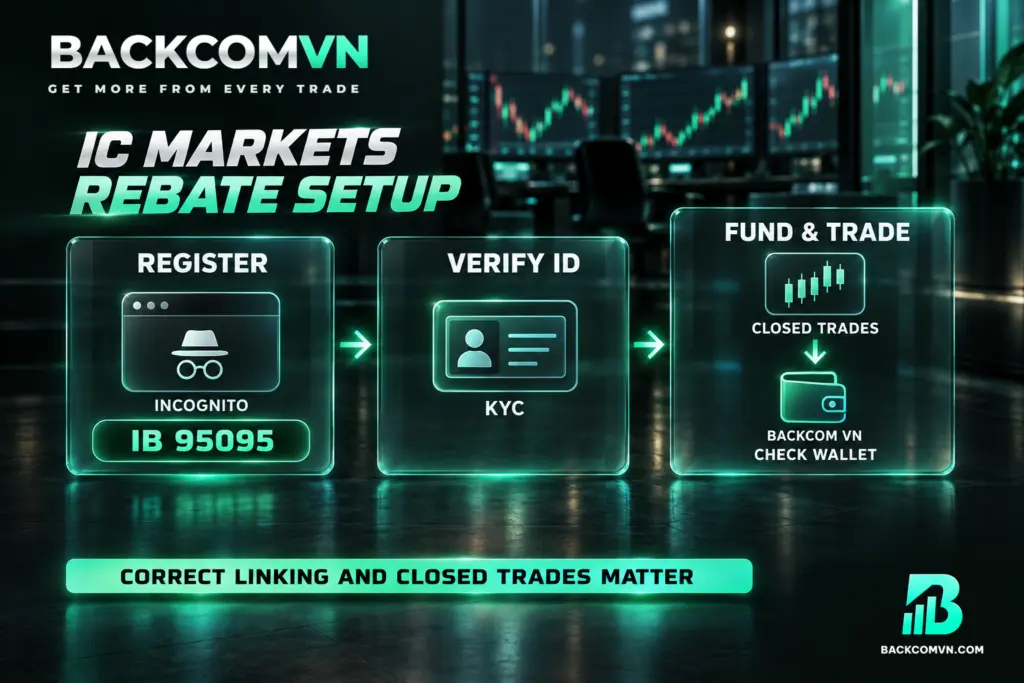
1. Register with IC Markets through the Backcom VN referral link. The partner code that needs to be recorded is 95095. When registering in a browser, open an incognito tab before accessing the registration link and enter this code manually where possible. If you already have an IC Markets profile, follow the IB transfer procedure described below.
2. Complete account verification with IC Markets. Complete the identity verification process, known as KYC, using one of three documents: a citizen identity card, driving licence or passport. Keep identity verification separate from partner registration when checking your progress. Completing KYC does not establish that your profile has been registered under the correct referral code.
3. Fund your IC Markets account, trade and check your Backcom VN wallet. Once registration is correctly recorded, you do not need to submit each trade separately for a rebate calculation. Trading volume counts only after a position has closed. The rebate is credited automatically to your Backcom VN wallet every Monday, following the weekly payment cycle.
If rebates are unfamiliar, read the explanation of what forex rebates are. The key point is that IC Markets cashback relates to trading costs. Both winning and losing trades can therefore qualify, provided they meet the applicable conditions, including the requirement for the trade to be closed.
The referral code and how to avoid losing referral tracking
The IC Markets referral code for Backcom VN is 95095. Check this during registration: successfully opening the IC Markets website through a link does not, by itself, establish that your profile has been assigned to the intended partner. The relevant detail is the partner association recorded against your profile.
If you register through a browser, an incognito tab is recommended to reduce the risk of losing the referral association. Open that tab before starting, access the Backcom VN link and complete registration within the same browsing session. This keeps the registration process together from the initial referral link onwards.
Entering 95095 manually where possible lets you check the code directly instead of relying solely on clicking the link. Read each digit again before completing registration. An incognito tab and manual entry still need to be followed by verification: if the partner association is unclear, ask Backcom VN support to check it before using your trading volume to estimate rebates.
When rebates are paid and where to find them
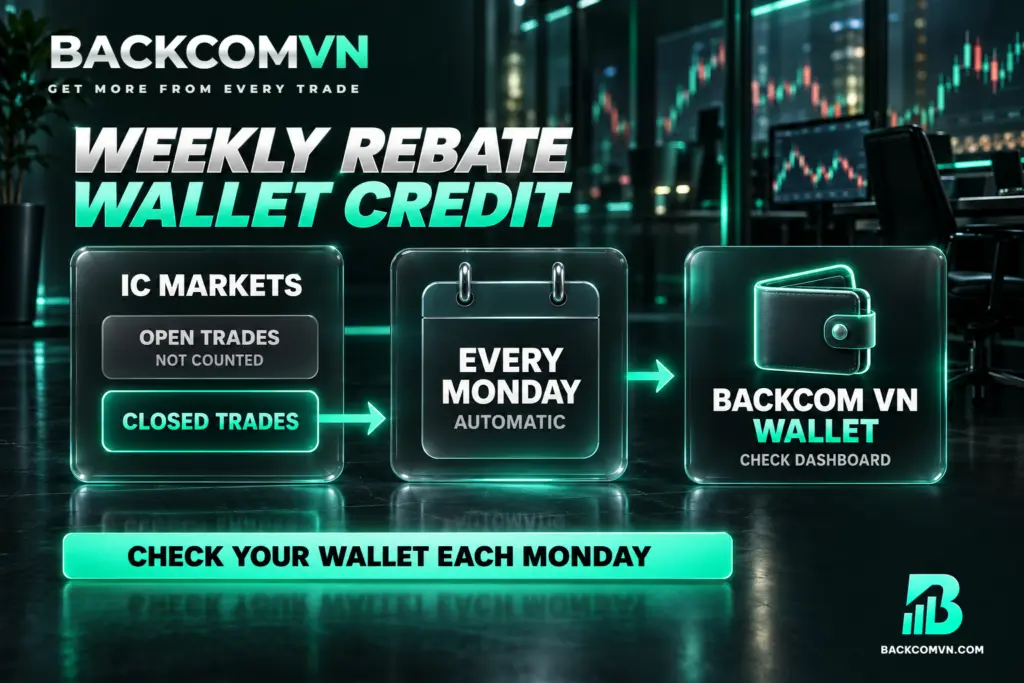
| Item | IC Markets |
|---|---|
| Payment type | Automatic rebate |
| Payment cycle | Every Monday |
| Payment destination | Backcom VN wallet |
Your IC Markets rebate payout goes to your Backcom VN wallet. Looking only at your IC Markets trading account balance may therefore cause you to miss a credit already received in the wallet. Check the figures on the Backcom VN dashboard and reconcile them with the broker’s trade history for the relevant period.
“Automatic” means you do not need to request payment for each cycle. It does not mean the money appears as soon as a trade closes: payments follow the weekly Monday schedule. There is no confirmed processing hour stated here, so do not assume that a payment must appear at a particular time of day.
Separate two questions when checking: has the trade become eligible, and has the relevant payment cycle arrived? The guide to when and where forex rebates are paid explains this distinction further. An open trade does not yet contribute eligible volume, while a closed trade still needs to be checked against the appropriate payment period.
What to do if you already have an IC Markets account
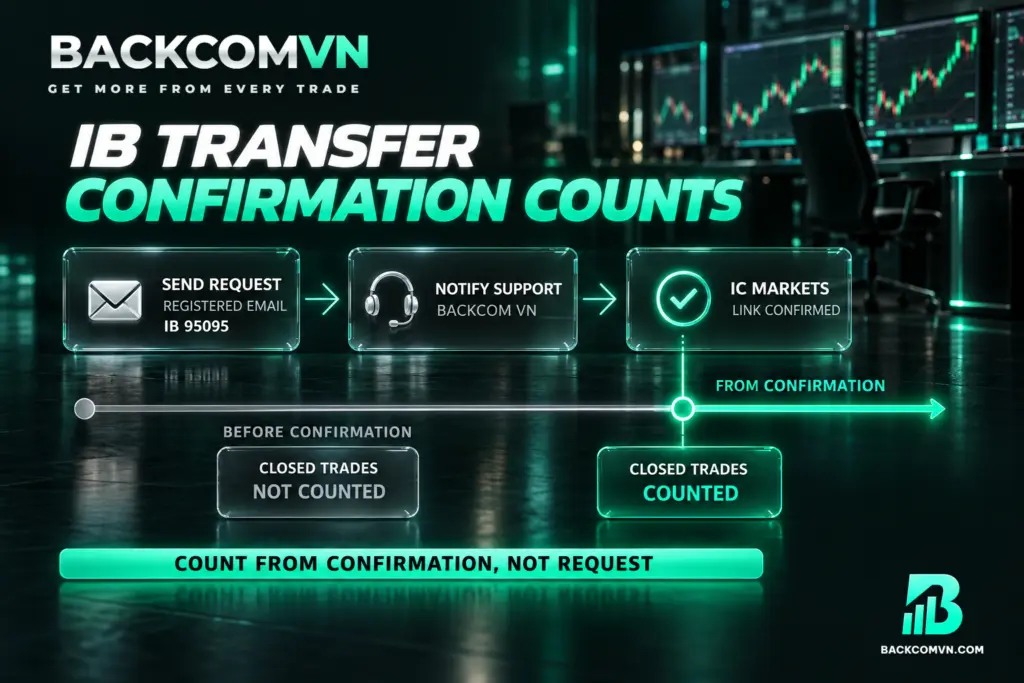
If you already have an account, request an IC Markets IB transfer to Backcom VN. You do not need to open another profile as a substitute for this process. Start by sending the following request from the exact email address registered to your IC Markets account, so the request corresponds to your existing profile:
- To: partners.apac@icmarkets.com
- Subject: Request to link my profile to IB 95095
- Message: I would like to link my account profile to IB 95095 and remove its association with my current IB, if any.
After sending the email, share your email address with Backcom VN support through Telegram or Zalo. This allows the support team to follow up with the broker and help move the review forward. Sending the request is only a step in the process; it does not mean the new association has been confirmed.
Keep a record of the time IC Markets confirms the association with IB 95095. Trades closed from that point onwards count towards rebates. Do not substitute the date you sent the request for the confirmation time, and do not include trades closed before confirmation when estimating the amount you expect to receive.
The guide to IB transfers: the process and practical checks helps you prepare to verify the association. Keep the confirmation email alongside your trade history. Comparing those records lets you identify which trades fall within the eligible period without relying on your recollection of when the request was made.
Why a rebate may not be recorded
A missing payment and a payment below your estimate can have different explanations. The table below sets out possibilities to investigate, rather than conclusions about your account. Compare each explanation with your own registration details, trade records and wallet activity before deciding which one applies.
| What you notice | Common explanation | How to check |
|---|---|---|
| You have traded but cannot see a rebate | The referral association was lost or the partner code was not recorded correctly | Ask support to check whether your profile is linked to IB 95095 |
| Some trades have not been counted | The positions are still open | Check their status and closing times in your trade history |
| You requested an IB transfer but have received no rebate | IC Markets has not confirmed the association | Compare the confirmation email with the trade closing times |
| No credit appears in your IC Markets account | You are checking the wrong payment destination | Check your Backcom VN wallet and dashboard |
| A trade has just closed but your wallet balance has not increased | You expect an immediate credit, while payments follow a weekly cycle | Check against the weekly Monday schedule |
| The amount is below your own calculation | You used another account type’s rate or confused lots with contracts | Verify the account type, instrument, unit and closed trading volume |
Work through the checks in this order: partner association, trade status, IB transfer confirmation time, payment cycle, then the rate and calculation unit. If the figures still differ, compare the dashboard with your trade history and send the discrepancy to Vietnamese-language support. The guide to checking a missing rebate yourself provides further steps before contacting support.
Where to check IC Markets rebate rates
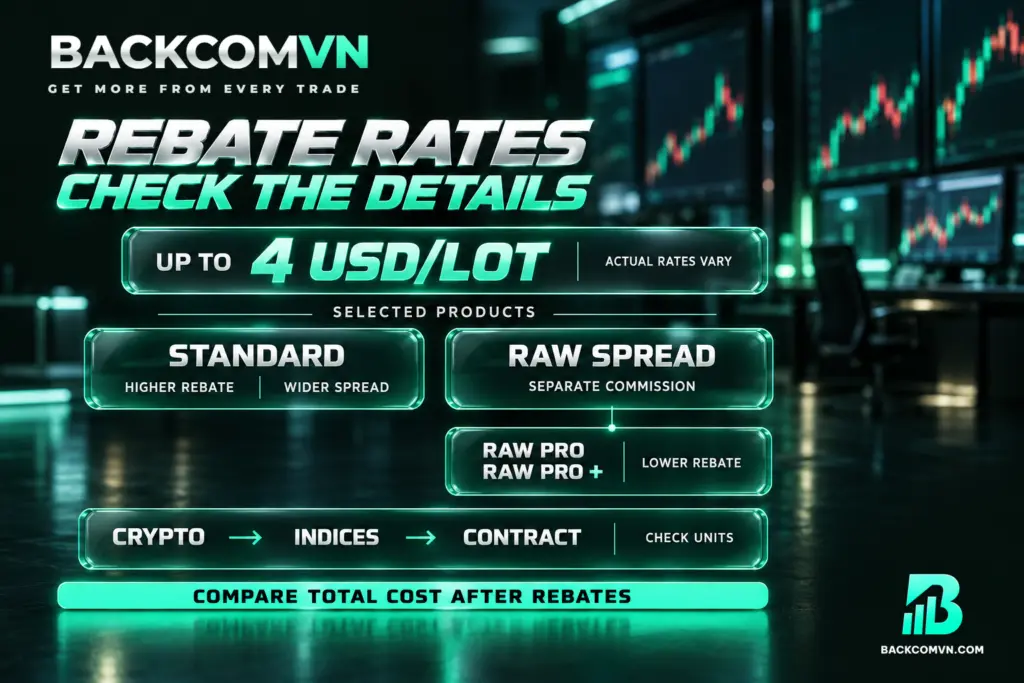
Individual instrument rates are not listed here because the rate for each symbol varies over time and by account type. Check the current IC Markets rebate rates by instrument, then match the relevant entry to your own account before calculating an estimate. A rate for a different account or symbol is not an appropriate substitute.
The general advertised maximum is up to 4 USD/lot. The actual rate depends on the account type and instrument traded. Do not apply this maximum to your entire trading history or assume that every account receives the same amount. An IC Markets cashback estimate needs to use the rate applicable to each relevant category of trades.
Several limitations matter here. Raw Pro and Raw Pro + have substantially lower rebate rates than Raw Spread. Cryptocurrencies and indices use contracts, so the amount depends on contract volume. IC Markets also does not currently support direct deposits and withdrawals in VND. Check these conditions when reviewing your account, treating funding arrangements separately from the rebate calculation.
Standard offers higher rebate amounts in the product groups covered, but has wider spreads; Raw Spread charges a separate commission. Use the guide to calculating the total cost of a trade to compare the cost remaining after rebates. The amount returned alone does not show which account has the lower overall trading cost.
Frequently asked questions
What is the Backcom VN referral code for IC Markets?
The code is 95095. Register through the Backcom VN link and enter the code manually where possible. If you use a browser, open an incognito tab to reduce the risk of losing referral tracking. Afterwards, ask for the partner details to be checked if you are unsure whether the association was recorded.
On which day are IC Markets rebates paid, and where?
Rebates are paid automatically every Monday into your Backcom VN wallet. You do not need to request payment each cycle. To verify a payment, check the Backcom VN dashboard and wallet, then compare the entries with your closed trades on IC Markets for the relevant period.
Can an existing IC Markets account receive rebates?
Yes, but you need to transfer the IB association to Backcom VN first. Use your registered IC Markets email address to request an association with IB 95095, then share that address with Backcom VN support. Trades closed from the time IC Markets confirms the association count towards rebates.
Does receiving an IC Markets rebate increase the spread?
No. Spreads and trading conditions remain the same as when registering directly with IC Markets. The rebate comes from the partner commission IC Markets pays to Backcom VN; it is not added to your trading costs. You should still compare total costs across account types, since their spread and commission arrangements differ.
Does an IC Markets trade of 0,01 lot qualify for a rebate?
Yes. There is no minimum trading volume requirement for receiving a rebate. A closed trade of 0,01 lot still counts when the account meets the partner association conditions. You do not need to increase your position size simply to reach a rebate threshold.
Do losing IC Markets trades qualify for rebates?
Yes. Both winning and losing trades qualify because a rebate returns part of the trading cost. A trade must be closed before its volume counts. Receiving a rebate does not cancel the trading loss or remove the risk associated with leverage; those remain separate from the cost refund.
Conclusion
To receive rebates from IC Markets, make sure your profile is correctly associated with IB 95095 and track your closed trades. Existing account holders need to wait for transfer confirmation before identifying eligible transactions. Check the weekly payments in your Backcom VN wallet and compare them with the corresponding trading activity.
If the amount differs from your estimate, check the partner association, trade closing times, account type and calculation unit. Verify symbol-specific rates for the relevant period. Account selection should reflect total costs after rebates and suitable trading conditions, rather than the size of the rebate considered on its own.
This article is for information only. It is not investment advice and not a promise of returns. Leveraged forex and CFD trading carries a high level of risk and can result in the loss of your entire capital. Each broker’s figures and conditions change over time — check them against the broker’s own page before you act.
The Backcom VN editorial team
The Backcom VN editorial team tracks forex trading costs: the fee schedules, rebate levels and licences of eight brokers, together with the market figures that feed into the cost of each trade. Every number we publish carries a public source and the date it was accessed, so you can check it yourself.
Related articles

How to set up a trading rebate: a step-by-step guide to eight brokers
The three steps that put an account under a rebate, a referral-code and payout table for all eight brokers, and…

Account base currency and the VND conversion nobody prices
Your account is in dollars and you fund in dong. The margin on those two conversions appears in no fee…

Vantage deposits and withdrawals: the same-name rule and the 50 USD minimum
Vantage states the rule other brokers let you discover the hard way: funds must be in the same account holder's…

XM deposits and withdrawals: My Wallet, the 2–5 day window and real costs
At XM your money sits in two places, not one — and that is behind almost every 'where are my…

Exness deposits and withdrawals: channels, timing and the real cost
Automatic 24/7 withdrawal solves only one of three legs. The other two are where your money actually leaks.

How to cost a forex trade in full
Spread plus commission plus swap, minus the rebate. A worked example on 2 lots of EUR/USD held overnight: $30 gross,…