
 The Backcom VN editorial team
20 min read
The Backcom VN editorial team
20 min read

In this article8
To receive an HFM rebate, you need to use the correct registration link, complete verification and check that your account is linked to the right partner. This guide covers the steps, payment cycle and checks to make when a payment differs from your estimate. A rebate returns part of your trading costs; read about how forex rebates work before calculating what you might receive.
Last updated: 09/10/2026.
How to get HFM rebate in three steps
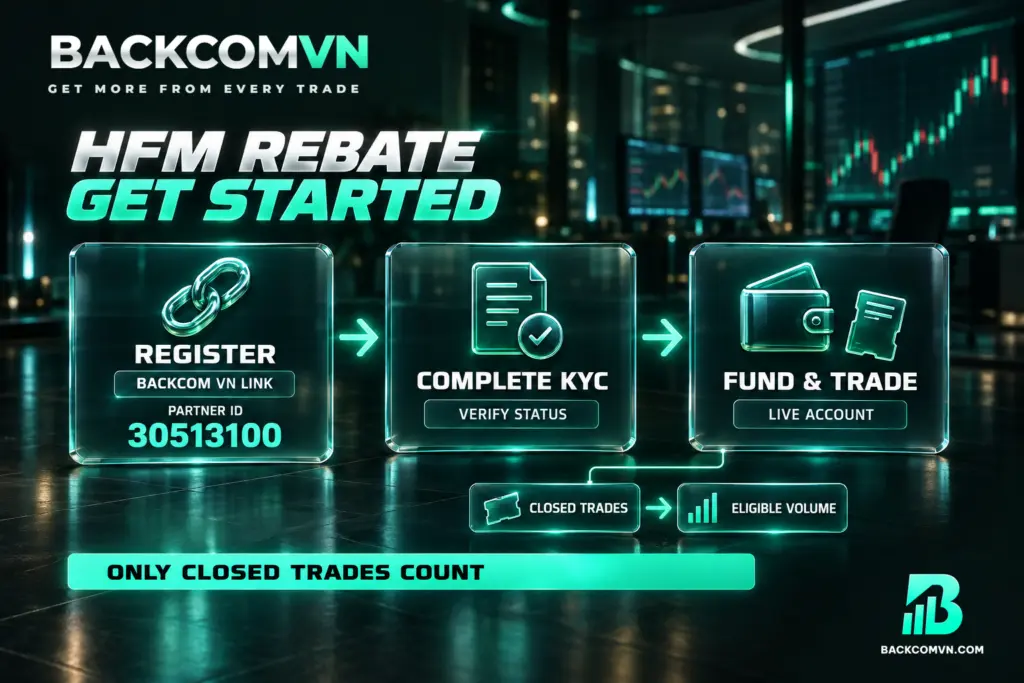
1. Register with HFM through the Backcom VN referral link. Before opening an account, choose No Markup or Markup 1 using the comparison below. If you register in a browser, use a private browsing tab to help avoid losing the referral link. The partner code is 30513100. However, you must select Markup 1 through its corresponding link; entering the code manually does not select this tier.
2. Complete KYC in your HFM account. Verify your identity using one of three documents: a national identity card, driving licence or passport. Submitting your registration details and completing identity verification are separate steps. Before trading, check that your KYC status shows verification is complete and confirm which account type you have selected.
3. Fund your HFM trading account and trade as usual. Rebates apply to live accounts, with no minimum trading volume requirement. Trades must nevertheless be closed before their volume counts. If you need to connect your platform, follow the HFM login guide for MT4/MT5. Check that you are using the correct trading account before comparing its activity with your rebate records.
Choose your registration link before opening an account
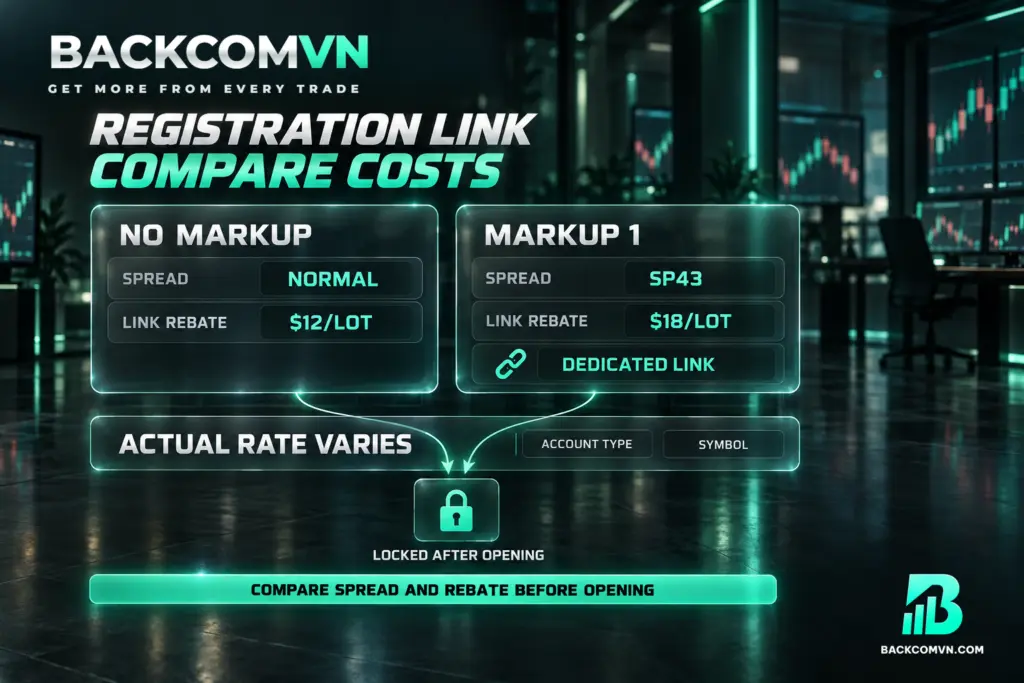
HFM has two registration link types, each with different spreads and rebate rates. You need to make this choice before registering because you cannot change the selected link type once the account is open. The larger rebate figure alone is not enough to determine which option has the lower overall cost.
- No Markup: “Normal” spreads, with a rebate of $12/lot associated with the link.
- Markup 1: “SP43” spreads, with a rebate of $18/lot associated with the link; registration must use the correct Markup 1 link.
The choice involves a trade-off: lower spreads with a lower rebate, or higher spreads with a higher rebate. Actual rates also depend on the account type and instrument. Neither $12/lot nor $18/lot should be treated as a universal rate for every symbol. Likewise, do not interpret SP43 as a particular number of pips without checking the relevant conditions.
To compare HFM cashback options, assess the trading costs and rebate for the same instrument and volume. A higher rebate does not establish that the final cost is lower. Use the approach in the guide to calculating the total cost of a trade, and check the actual spread and commission for the symbol you intend to trade.
HFM rebate payout: when and where payments arrive
| Item | HFM |
|---|---|
| Payment type | USD |
| Payment cycle | Daily |
| Processing time | Morning |
| Payment destination | Trading account |
| Minimum rebate | None required |
| Payment currency | USD |
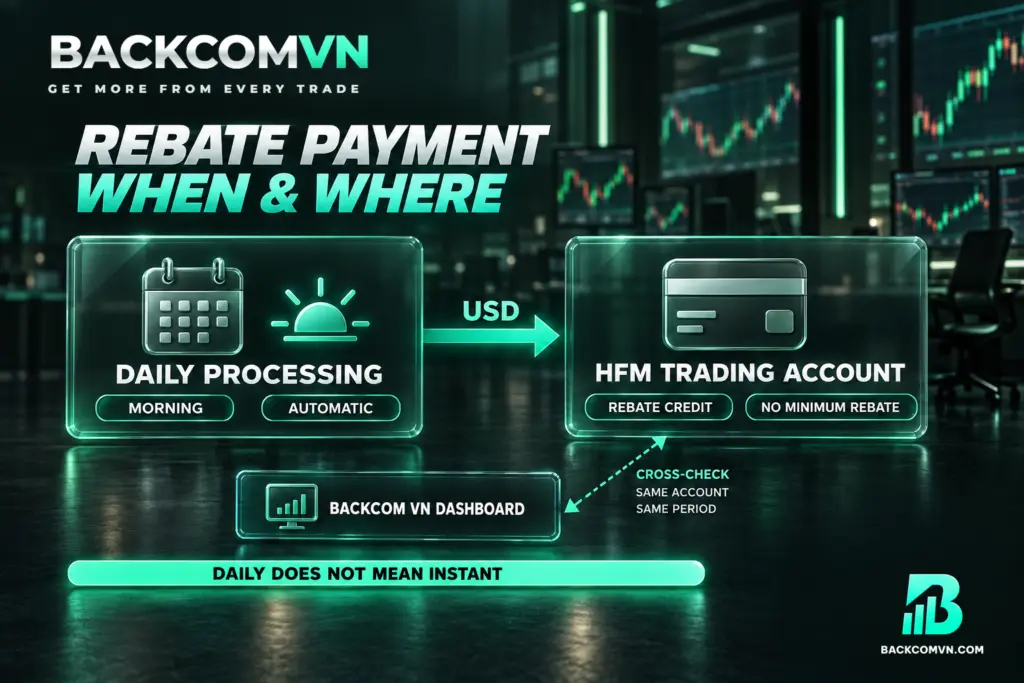
Rebates are paid automatically each day into your HFM trading account. Check that account for the credit rather than waiting for a direct bank transfer. Receiving a rebate and withdrawing funds are separate processes. The table describes where the rebate is credited; it does not describe a withdrawal to your bank.
The Backcom VN dashboard provides figures you can compare with the broker’s trade history. Check both the dashboard totals and the credit recorded in your trading account. Use the same account and date range throughout. Comparing volume from one account with money credited to another will not give you a meaningful reconciliation.
“Morning” describes the processing period, without specifying an exact time. Daily processing also does not mean an immediate payment after every closed trade. To distinguish between when you trade, when the volume is counted and where payment arrives, read the guide to understanding rebate payment cycles.
What to do if you already have an HFM account
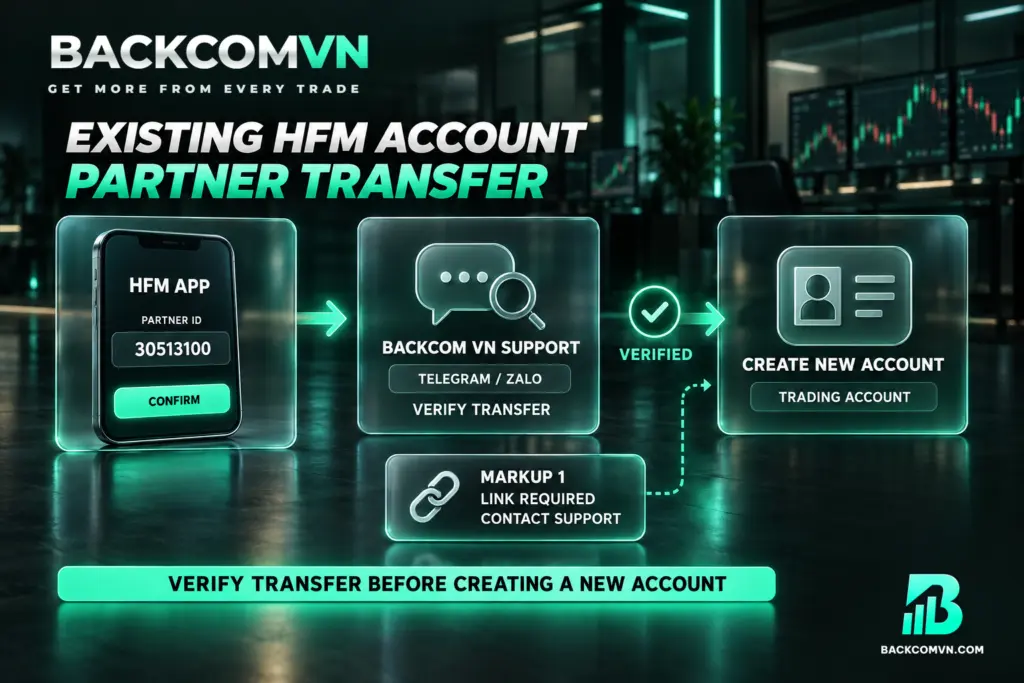
For an existing account holder, the HFM IB transfer process involves changing partner, checking the result and then creating a new trading account. Entering a partner code does not mean trades on your old account will automatically qualify for rebates. Follow the full sequence before relying on rebate estimates for subsequent trading.
- Open the HFM app and go to Set Partner & Campaign ID.
- Enter partner code 30513100 and confirm.
- Once the partner transfer succeeds, contact Backcom VN support through Telegram or Zalo to have it checked.
- After the successful transfer has been verified, create a new trading account to start receiving HFM rebates.
Keep the two requirements distinct: transferring partner and opening a new trading account after verification. Do not skip the new account simply because you have entered the code in the app. The IB transfer guide and key checks explains the steps you need to review.
The partner code remains 30513100, but it does not replace the link required to select Markup 1. If you already have an account and want this tier, clarify the process with support before creating your new trading account. Markup 1 can only be selected through its corresponding link.
Reasons a rebate may not be recorded
A missing payment may relate to your registration route, the account you used or volume that does not yet qualify. The table helps narrow down what to check. Each symptom is a starting point for investigation, rather than proof of a particular cause.
| Symptom | Common cause | What to check |
|---|---|---|
| You have traded but cannot see a rebate | You registered directly without the Backcom VN link, or the referral link was lost | Check whether the partner code is 30513100 and ask support to verify account attribution |
| Your estimated volume exceeds the volume counted | You included open trades | Compare only closed trades within the same period |
| You transferred partner but still see no rebate activity | The transfer has not been verified, or you have not created a new trading account | Review every transfer step and check the account number you are trading on |
| You expected Markup 1 but the rebate rate differs | You entered only the partner code without using the correct Markup 1 link | Check which link type you used when opening the account |
| You traded on a demo account but received no rebate | The programme applies to live accounts | Check your account type in HFM |
| No rebate appears immediately after closing a trade | You interpreted daily processing as immediate payment for each trade | Check the morning processing cycle and the account receiving payment |
If you still cannot identify the discrepancy, gather your account number, symbol, closed trade volume and the period you want checked. Compare these details with the dashboard before contacting Vietnamese-language support through Telegram or Zalo. The guide to checking a missing rebate yourself helps organise this reconciliation.
Where to check HFM rebate rates
The advertised HFM rebate is up to $18/lot. Your actual rate depends on the account type, instrument and registration link selected. Individual symbol rates are not listed here because they change over time. Check the current HFM rebate rates by instrument whenever you need to calculate an expected payment.
Match all three details when looking up a rate: account type, symbol and registration link. HFM offers Cent, Zero, Pro, Pro Plus and Premium accounts. A rate for one account type should not be applied to another. Equally, the advertised maximum should not become the default rate for your entire trading volume.
One cost limitation matters here: Zero’s advertised spreads “from 0 pip” are not average spreads, and Zero still charges commission. Actual spreads vary by symbol, so HFM cashback is only one component of the cost calculation. Advertised leverage of up to 1:2000 is also unavailable for some accounts or regions; check the conditions applicable to yours.
Frequently asked questions
When does HFM pay rebates?
Payments are automatic and daily, with processing in the morning. There is no specified hour from which to infer an exact arrival time. Only closed trade volume counts, so check which trades have closed before comparing the expected rebate with the payment received.
Which account receives the HFM rebate?
The payment arrives in your HFM trading account in USD. The Backcom VN dashboard provides figures for reconciliation. Checking only your bank account is insufficient to determine whether a rebate has been paid; look for the credit in the relevant trading account.
Can I switch from No Markup to Markup 1 after opening an HFM account?
You cannot change the selected link type after opening the account. Compare the spreads and rebate rates before registering, while the choice is still available. Entering partner code 30513100 does not replace selecting the Markup 1 link.
Do losing HFM trades qualify for rebates?
Rebates apply to both winning and losing trades because they return part of the trading costs incurred. The trade must be closed and the account correctly attributed to the partner. Receiving a rebate does not remove the risk of trading losses.
Does HFM require a minimum trading volume for rebates?
There is no minimum trading volume and no minimum rebate amount required. This does not mean open trades count immediately. You still need to reconcile closed trade volume on a live account, using the relevant period and the rate applicable to that account.
Conclusion
Receiving HFM rebates starts with choosing the correct link and checking the partner association. Existing account holders need to complete the partner transfer, have it verified and then create a new trading account. Choose between No Markup and Markup 1 by considering both the spread and the rebate.
For your own checks, bring together three pieces of information: closed trades, the rate applicable to the account and the amount credited to the trading account. Looking up the relevant symbol rate when reconciling payments is more useful than applying the maximum advertised rate to every trade.
This article is for information only. It is not investment advice and not a promise of returns. Leveraged forex and CFD trading carries a high level of risk and can result in the loss of your entire capital. Each broker’s figures and conditions change over time — check them against the broker’s own page before you act.
The Backcom VN editorial team
The Backcom VN editorial team tracks forex trading costs: the fee schedules, rebate levels and licences of eight brokers, together with the market figures that feed into the cost of each trade. Every number we publish carries a public source and the date it was accessed, so you can check it yourself.
Related articles

How to get your Exness rebate: setup, payout and checks
The three steps that put an Exness account under a rebate, when the money lands, and what to check first…

Why use a trading rebate — and when it is not worth it
A rebate moves your cost column, not your results column. What it changes, what it does not, and three cases…

How to set up a trading rebate: a step-by-step guide to eight brokers
The three steps that put an account under a rebate, a referral-code and payout table for all eight brokers, and…

Account base currency and the VND conversion nobody prices
Your account is in dollars and you fund in dong. The margin on those two conversions appears in no fee…

Vantage deposits and withdrawals: the same-name rule and the 50 USD minimum
Vantage states the rule other brokers let you discover the hard way: funds must be in the same account holder's…

XM deposits and withdrawals: My Wallet, the 2–5 day window and real costs
At XM your money sits in two places, not one — and that is behind almost every 'where are my…